How to Start R in JupyterHub
JupyterHub supports R programming via pre-configured container images. Follow the steps below to get started with R in your browser:
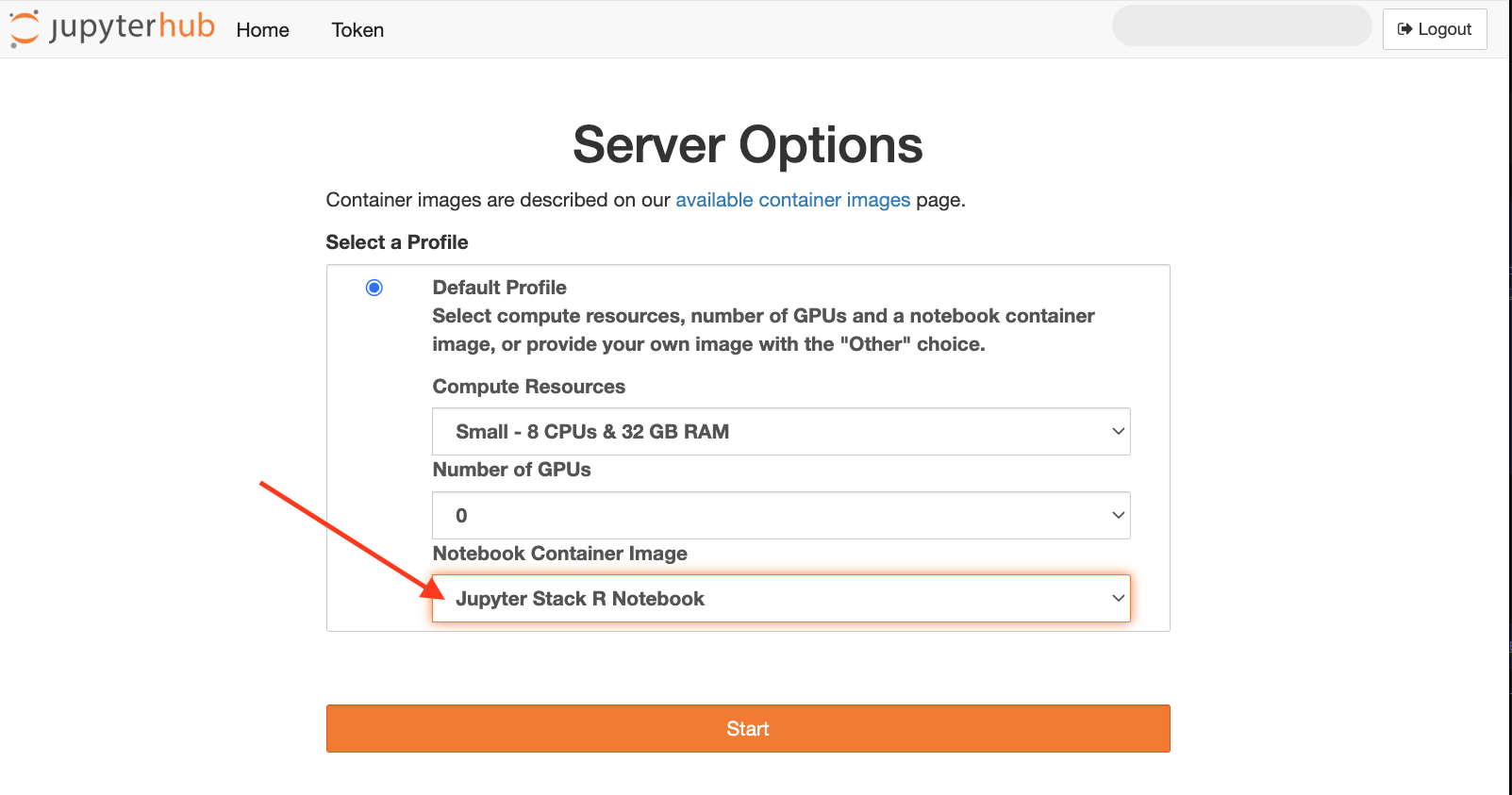
Go to Create Server page
Configure CPU, RAM, and GPU settings if needed
Click the dropdown under “Notebook Container Image”
Choose
Jupyter Stack R NotebookimageClick the Start button
Wait for the container to initialize
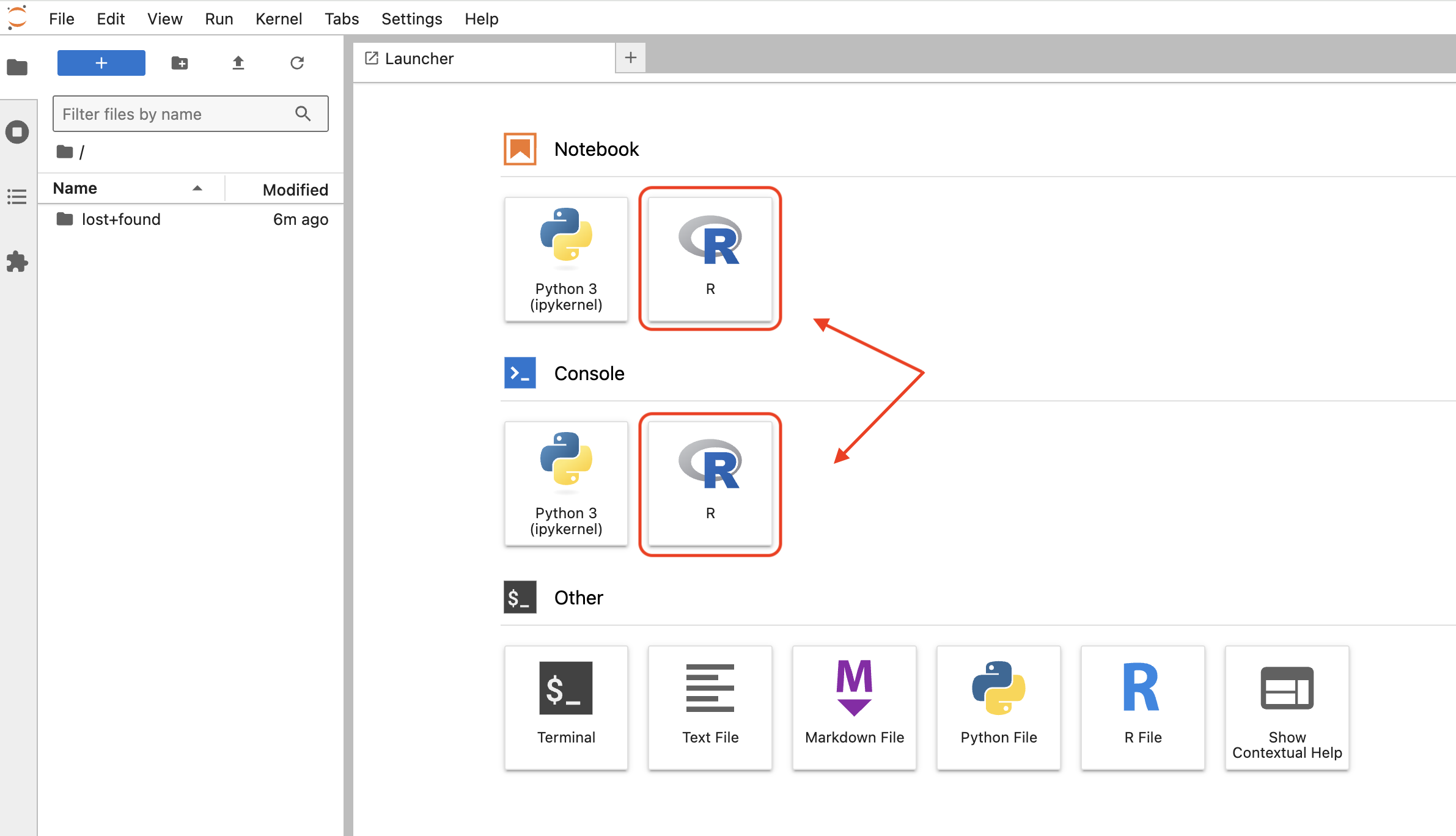
Open an R Notebook or R Console
You can now write and run R code in a browser-based environment.
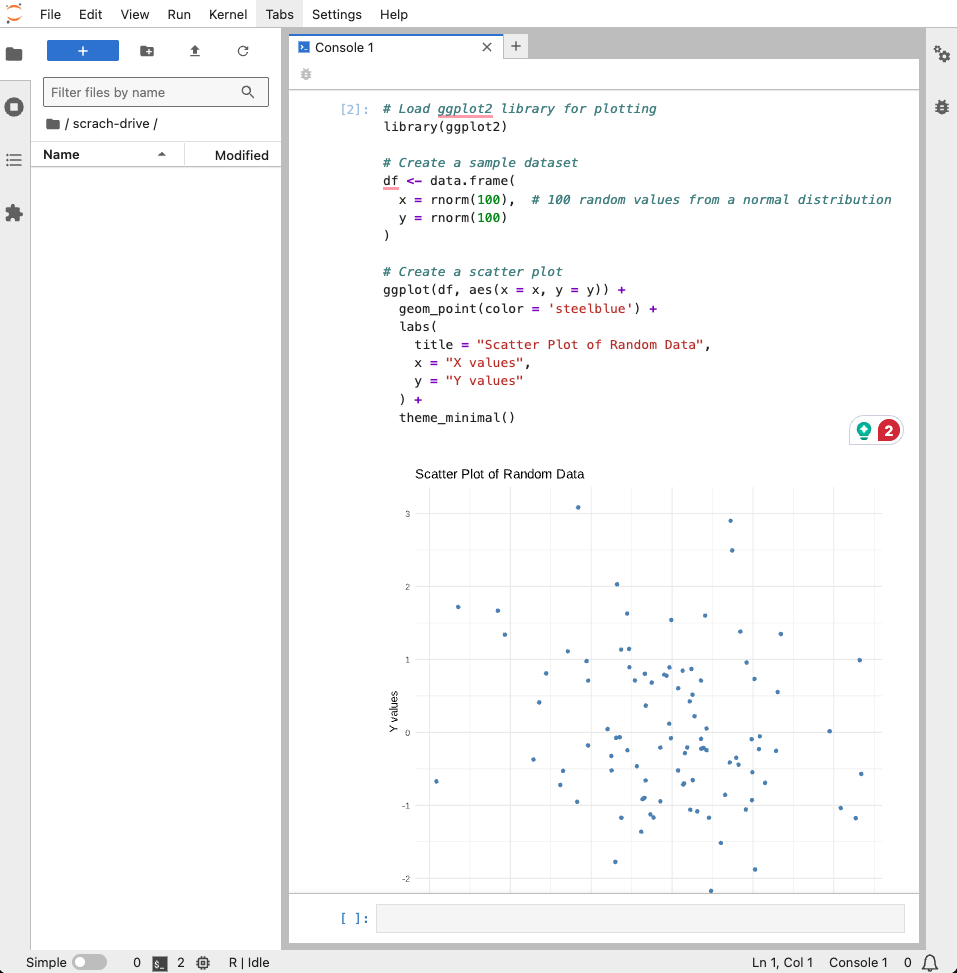
Write Your Code and Run!
Stop Server
Always remember to stop your server to release resources when you’re done.