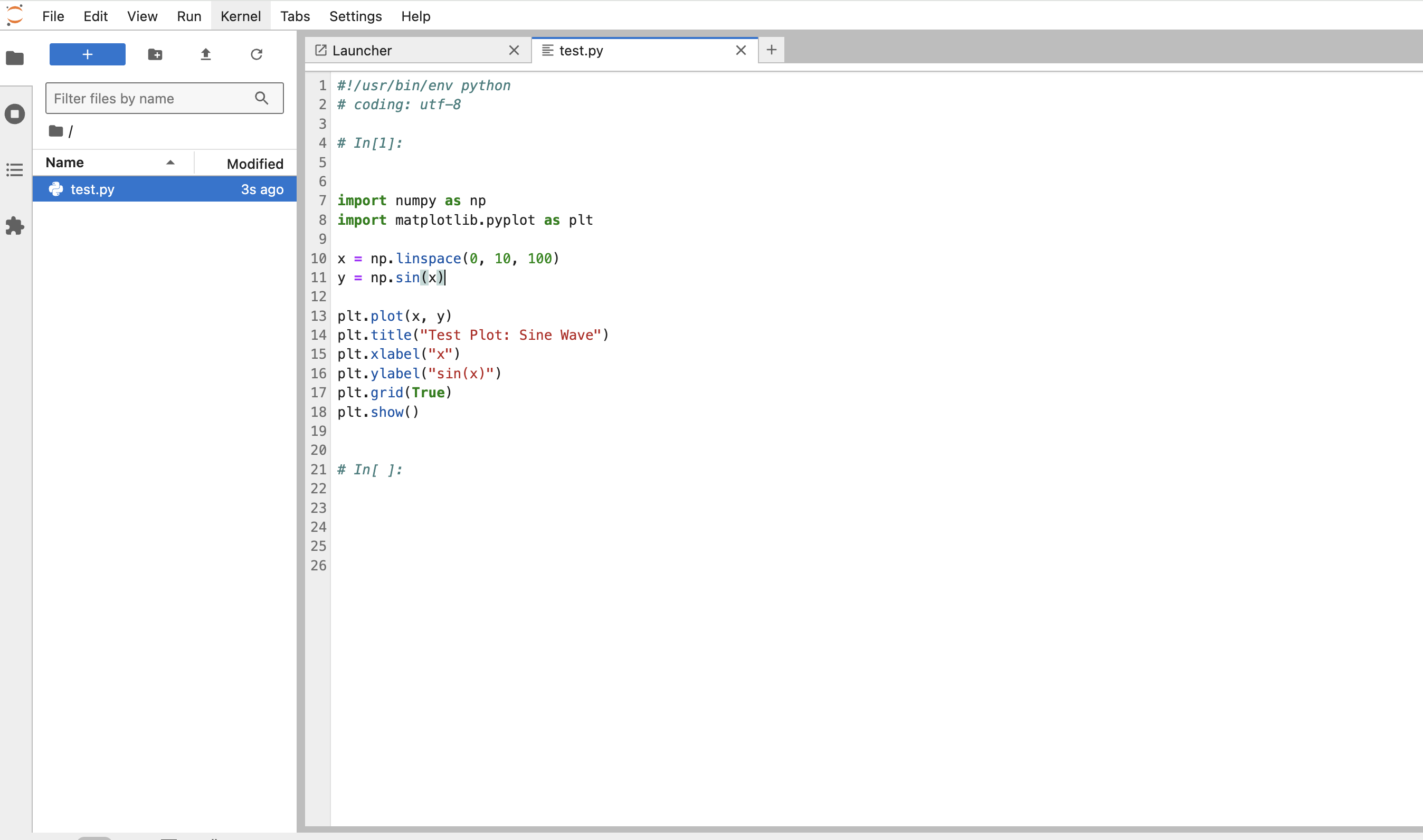
How to Upload Your Python File into Jupyter Notebook/JupyterLite
If you have a .py file you’d like to use in your JupyterHub environment (e.g., from your local computer or a previous project), follow these steps to upload it.
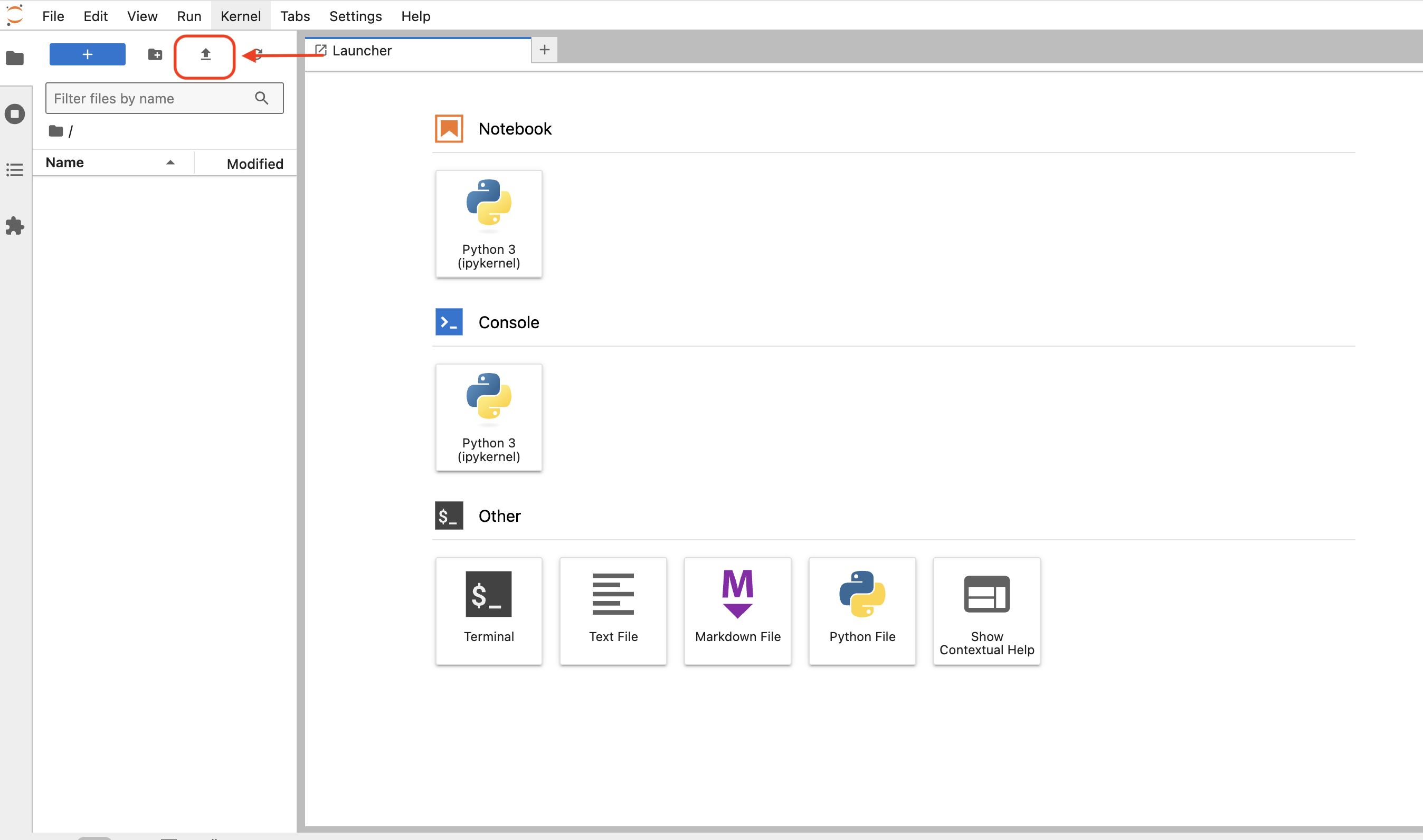
After logging into JupyterHub, click the Upload icon at the top left.
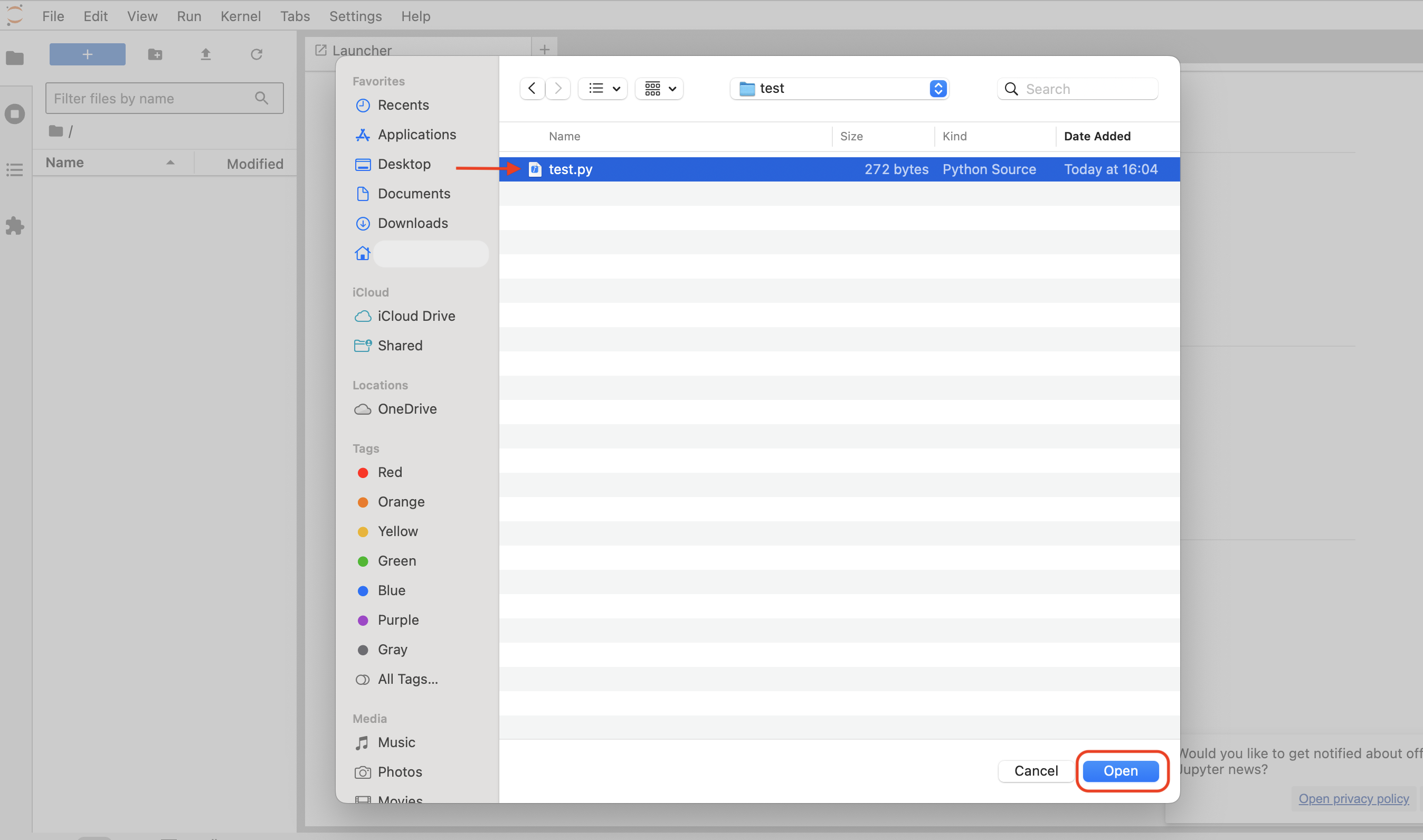
Select your
.pyfile from your local computer.
After upload, it will appear in your file list.